How To Enable Spam Protection in Cpanel
If you are looking for a way to learn how to enable spam protection in cPanel, then you are indeed looking at the proper tutorial. Before we proceed, it would be good if you knew more about cPanel. cPanel is a helpful software that allows users to use sophisticated tools that will enable them to smoothly carry out all the operations regarding your business. So, by now, you have understood that a cPanel is very important when looking after the servers and going through the other factors related to any website.
Let us look at the steps you must follow to enable spam protection in cPanel.
1) First, locate an icon that says Box Trapper and click on it. This adds protection to your inbox from any spam. Now, the contacts not on your list will have to reply to verification mail before they can send you any mail.

2) To ensure that the box trapper is enabled on an email, click on manage.
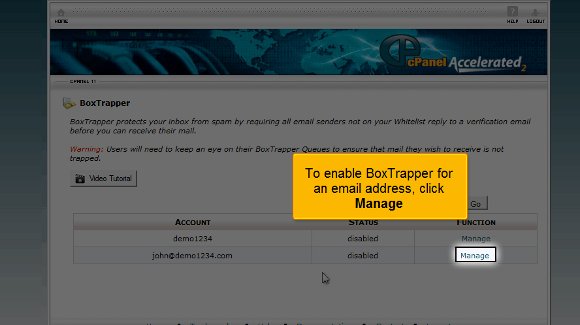
3) After that, you must turn on the button.

4) Once you have done the above, the box trapper will be enabled for the email; then you need to click on go back.

5) The next important step is when you will have to configure the settings in the box trapper. For this, you will have to click on Configure Settings.
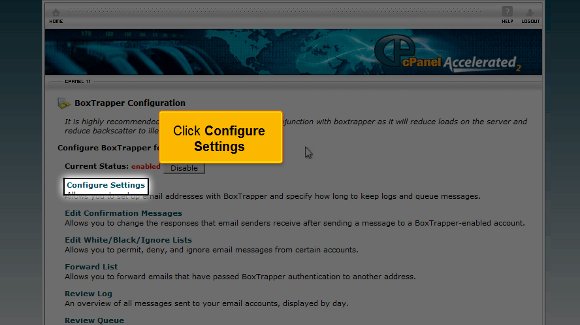
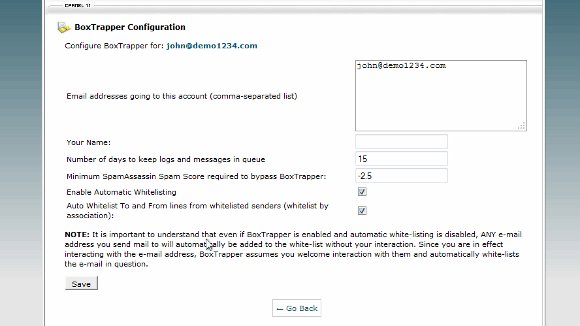
6) After that, you must click on the edit confirmation message tab. This will allow you to edit the confirmation messages.


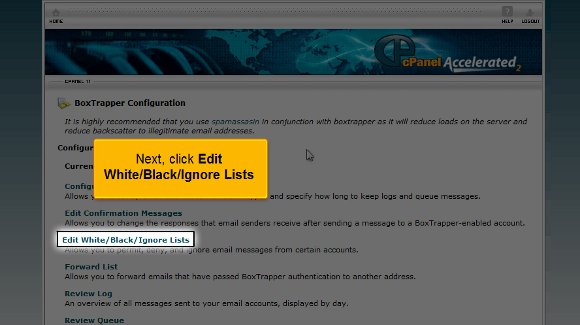
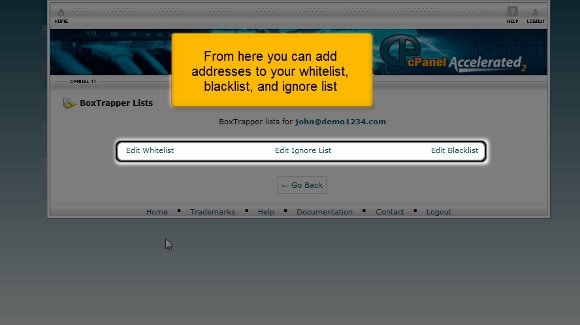
7) Next, click on Ignore lists, black or edit white. This option will allow you to divide your contacts into people you want to keep in touch with or people you wish to ignore. Once you set this up, you will notice that the spam has dramatically been reduced.
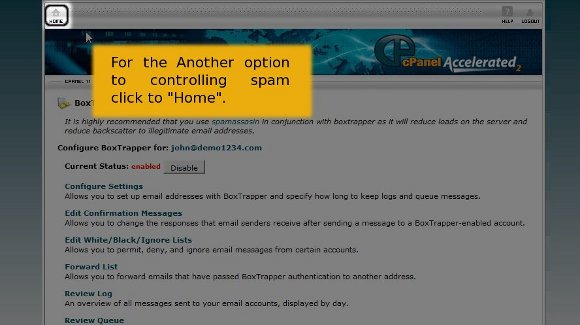
8) Click “Home” to the other option for controlling spam.
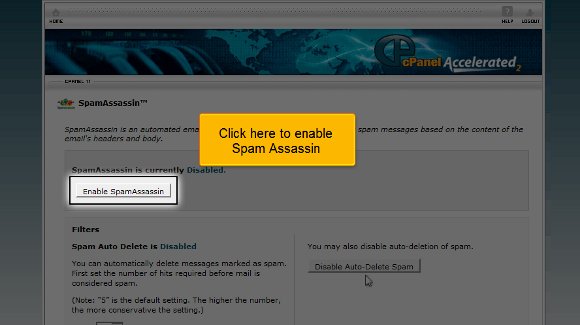
9) You should also click on Spam Assassin.

10) Click on “Enable SpamAssassin” to Enable it.
11) Then you must also click on Go back
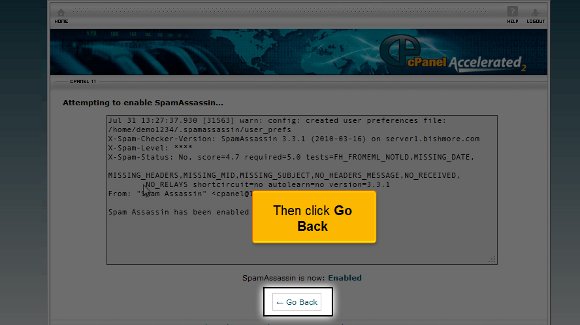
12) After that, you must configure the spam assassin

With this, we have come to the very end of the tutorial. So now you have full knowledge that will enable you to enable spam protection in cPanel. You must use Spam Assassin and Box Trapper to reduce spam. Using both will give your account maximum protection by keeping spam at bay.
So now your spam protection is enabled to the fullest, and you can take the time to look around. You should also take the time to look at some of the other tabs. To learn more about the cPanel, you should have a lot of patience and not rush the learning process. In this way, you can get a better grip on this. So follow the tips in this tutorial very closely.

 Ananova
You must be logged in to post a comment.