How TO Set Your Default Address in cPanel
If you are looking for tips to follow while setting your default address in cPanel, you are certainly in the right place. Before we get into information to help you develop your default address in cPanel, let us learn what a cPanel is. This interface facilitates automated tools that allow a user, reseller, or administrator to carry out their business operations smoothly. So, you see that a C panel’s primary function is to help manage the servers and oversee the other aspects of the website.
Here are the tips that you can follow the information that will help you set your default address in cPanel
1) To begin with, you can log in and need to click on the icon that says Default Address. This is the place where you have to configure a default address. So all those un-routed emails and the emails you send will be stored here. For example,, if you want your emails to go to an account you will be using, simply set that account as your default.

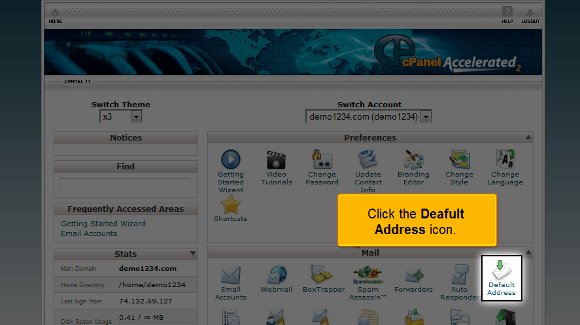
2) After you have selected the default address, you must click on the option Forward to email address

3) After that, you must type in the email address that you want as your default address.

4) After typing in the email address, you can click on change and set your default address. This is when you will see that the default address has been placed. The new default address can be seen on the interface.

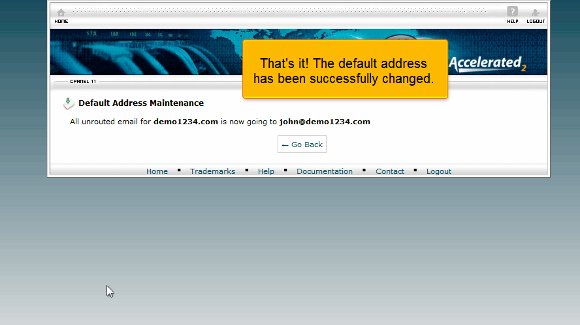
So, this is the end of the list of tips you need to follow on setting your default address in cPanel.
Well, you see that there is nothing to it; you can access the default address and start work immediately. You can go through the various settings on your emails and even send a test email to check the settings. You should review all the multiple features in your cPanel regarding the email setup.
Now, you must know how to log out from the cPanel email; the log-out tab is usually at the top of the page. So you see that in most cases, it is not too difficult to understand the tips that will help you set your default address in cPanel. You just need a certain level of patience to simply understand the software and its functions. You do not need to rush the process since you may not get accustomed to it quickly. You can take things at your own pace. This way, you will learn about tips that will help you set your default address in cPanel without facing much trouble. You can also take the time to look around at various other tutorials that teach you tips that will help you set your default address in cPanel. Follow the directions carefully; you will not have trouble setting up your default address.

 Ananova
You must be logged in to post a comment.