How To Setup a Cron Job in cPanel
This tutorial perfectly teaches you to set up a cron job in cPanel. This tutorial has all the steps for you to understand correctly. There is no technicality involved in it. Now, tho, if you are unfamiliar with cPanel, you must know that this software is quite helpful in facilitating business operations. The interface of this software is quite user-friendly and is packed with loads of features that help the users look after their servers.
- Setup a cron job in cPanel: First, you must find the Icon that states Cron jobs and then simply click on it.

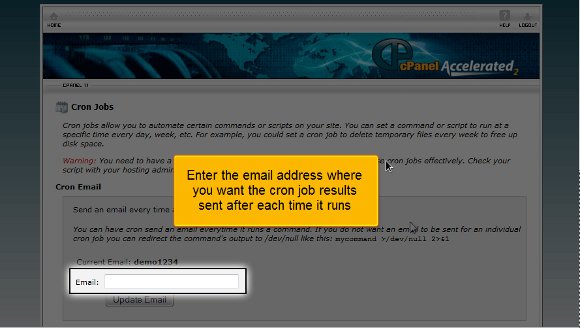
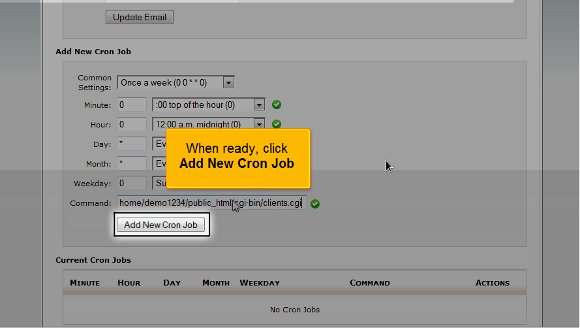
2) Setup a cron job in cPanel: After that, you must fill in the email address you wish the cron job outcomes to be sent every time it runs. Here, you must also define the exact procedure and how often you want the cron to be implemented. All the fields will be filled automatically if you choose a standard setting. You will also have a better understanding of each individual field.
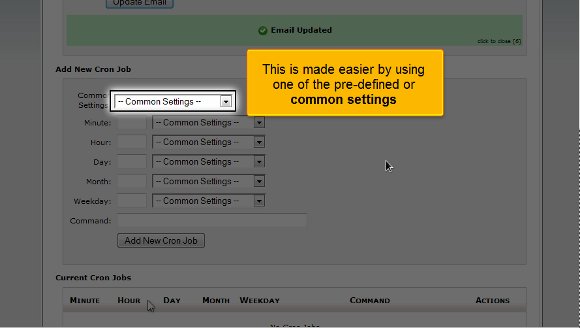
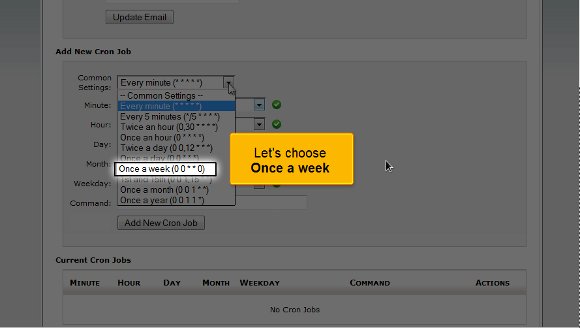
3) Setup a cron job in cPanel: Choose the option once in a week
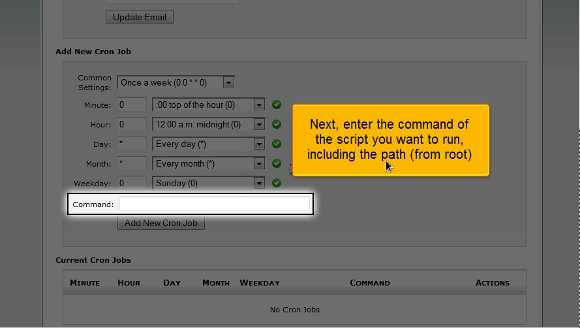
4) Setup a cron job in cPanel: After that, you must enter a particular command of any script you wish to implement, including the path.
5) Setup a cron job in cPanel: When you are fully ready, you must click on Add a new cron job
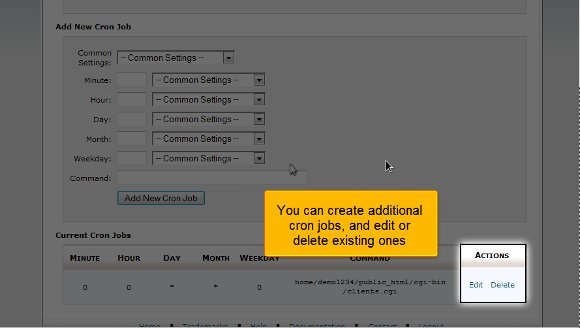
After you have completed the above steps successfully, the cron job has been implemented and is visible here. Here, you can create additional cron jobs or even delete certain existing ones.
We have ended the tutorial, and you have the knowledge to set up a cron job in cPanel. After this, you can go back to the interface and review the other features. Logging out of the interface is probably one of the easiest things to do. So, by now, you have realized that the tips mentioned in the tutorial are not that tough to follow. With patience, you can easily understand what the software offers you. You must pay extra attention during the learning phase to absorb things quickly and utilize them well. So, keeping a cool head and a relaxed mind will help you understand the various features of this software. The software has many features that can yield excellent results if appropriately utilised at the right time and place. So, if you follow the tips in this tutorial, you will have no problem using the software to your benefit; you simply need some patience. If you are using this software for the first time, you will face failure the first couple of times, but that is no reason why you should feel discouraged.
You may also look at other tutorials to learn more about this beautiful software. The best way to know anything about this software is to consult a tutorial such as this.

 Ananova
You must be logged in to post a comment.