All about CubeCart installation
You may have been searching for a tutorial on installing CubeCart. If you are new to Fantastic, here is an introduction to familiarize yourself. Fantastico is nothing but a very reliable hosting service provider. This service provider provides you with many internet-based applications with their own features. As a user, you can access an add-on called Fantastico support. This particular add-on is very much compatible with the cPanel that you are using at the moment. Fantastico will give you many scripts to assist you in the smooth installation of CubeCart. Users all around the world are now using these scripts for their benefit.
When you are reading this tutorial, it can be assumed that you are already familiar with Fantastico and its uses.
1. First of all, you have to start by clicking on the CubeCart link
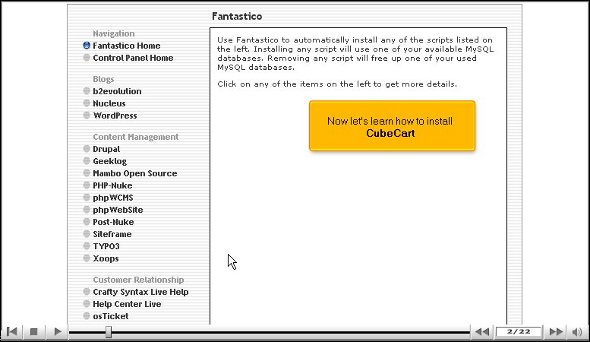
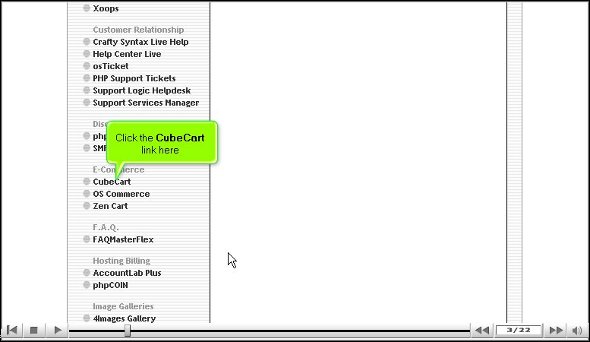
2. After you have done that, you will be directed to an installation screen; you will have to click on the new installation.
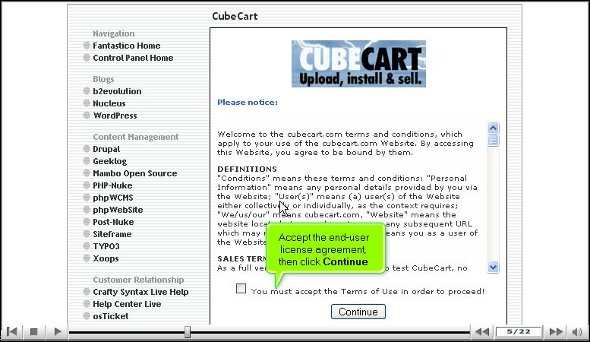
3. Once you finish the above steps, you must provide the directory where you want to install CubeCart.
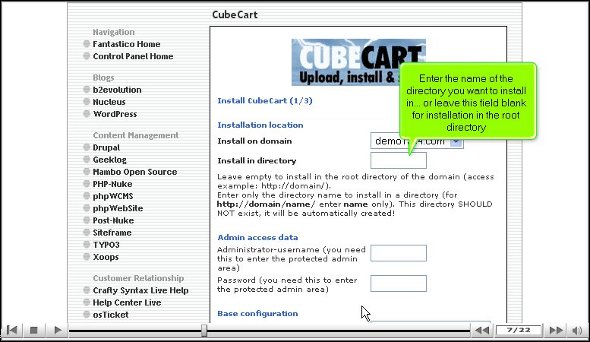
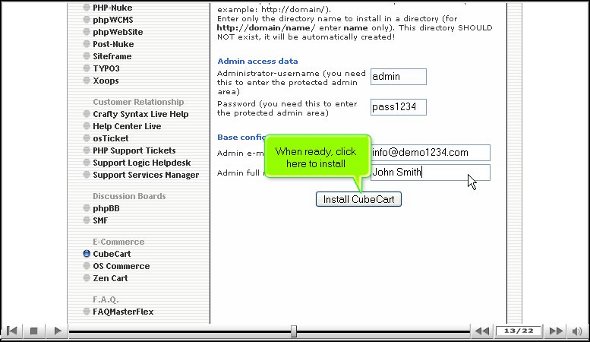
4. After that, you will need to provide a name for the admin and a password to go.
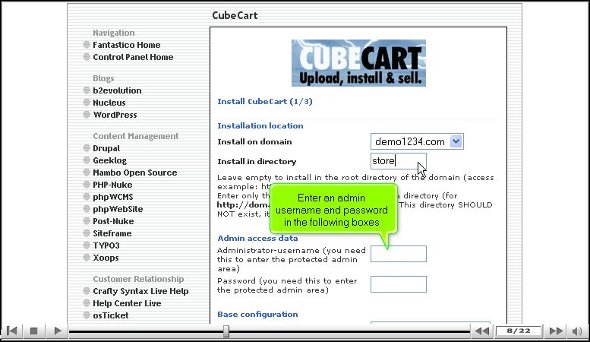
5. You can then scroll down and click on Install CubeCart.
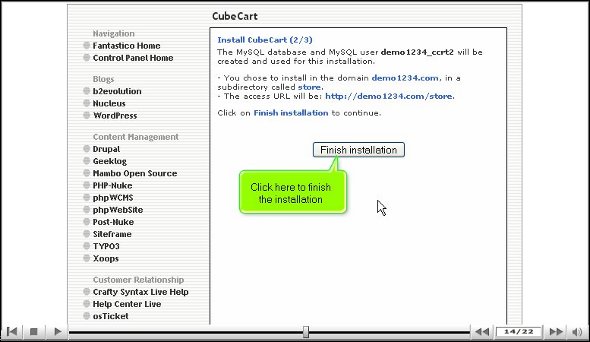
6. After that, you can finish the installation by clicking on the finish.
This brings us to the end of the tutorial. So, if you have gone through the steps mentioned above, it simply means you successfully installed CubeCart on your computer without much problem. So, now that you have installed the application, you can tweak its features per your requirements. You can then explore the application’s features; this will help you become familiar with the interface. This tutorial will help you learn much about installing CubeCart and its features.
You must remember to pay special attention to the learning process as this application has many features that you can use for your benefit. So, take your time and not rush through the learning phase. Initially, you face some trouble using the applications, but it is better to stay calm as you will get accustomed to using them eventually. Ensure you go through each part repeatedly until you understand and absorb them very well. This applicatioapplication’s is very user-friendly, so you will not have difficulty locating any tools for your work.
So, repeat the installation process steps again and again until you understand how to install the application on your computer. You can also look at other tutorials to get a good idea.
Go to the top of the page. Back to the tutorial

 Ananova
You must be logged in to post a comment.