The correct way to install dotProject
If you have been searching hard for a tutorial that will guide you on how to correctly install dotProject without making any mistakes whatsoever. Well, you have stumbled on the proper tutorial to teach you. Before we get into the installation process correctly, we should probably learn something about Fantastico, which provides us with fantastic applications, of which dotProject is a beautiful example. Mall, the applications are compatible with the cPanel installed on your computer. Fantastico gives you a wide range of scripts to help you install DotProject easily on your computer.
Since you are reading this tutorial on dotProject, it can be safely assumed that you know how to use Fantastic. So, let’s start learning how we can install dotProject.
1. When looking at the interface of Fantastic, you should try to locate a button called dotProject.
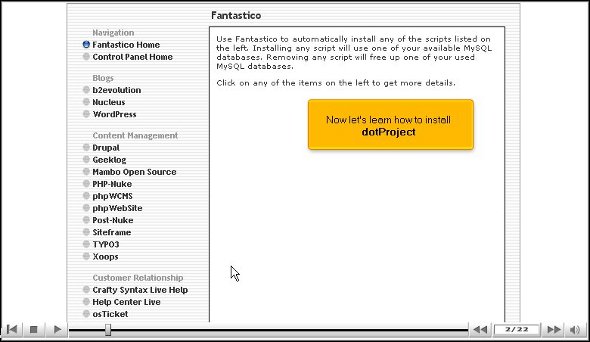
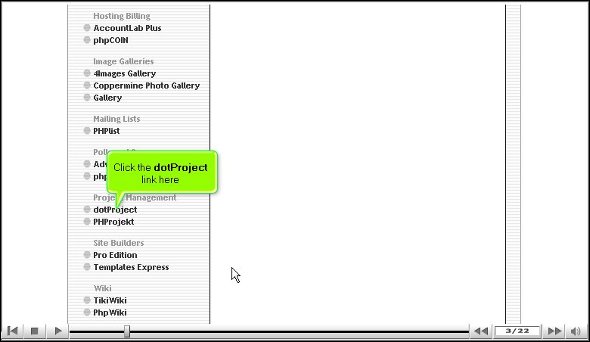
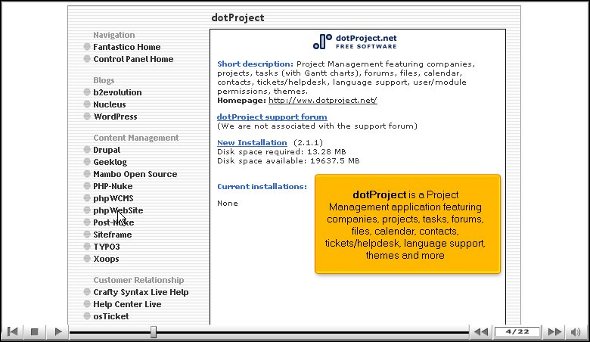
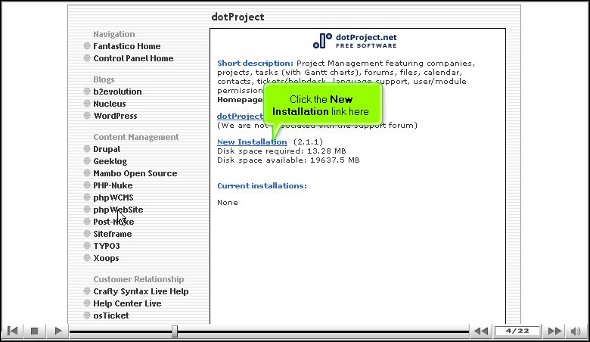
2. Once you click on this button, you will be directed to an installation screen and have to click on the link that says new installation.
3. After that, you must supply the directory name where you want the application installed.

4. You will then have to provide an admin username and a password that is easy to remember.
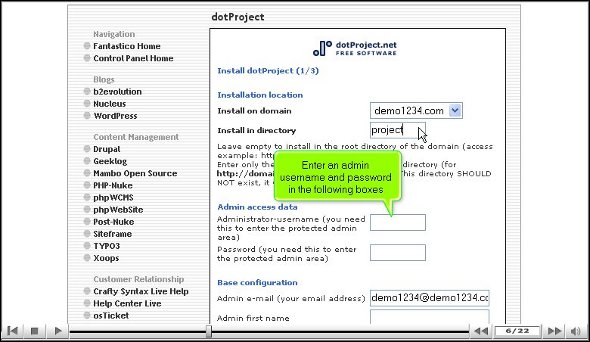
5. Once you are done, you can scroll the page and click on a link that says install dotProject.

6. To complete the process of installation, you have to click on the finish link
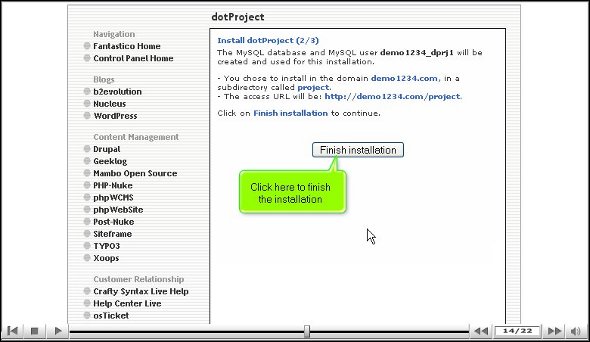
So that’s about it; we have come to the end of the tutorial. If you have completed the above steps, it simply means that you have installed the application very successfully. Now that you have installed the application, it is time for you to tweak the settings as you wish. To tweak the features, first, you must review them individually and understand what each one does.
To understand what each feature or tool can do, you must not rush the learning process as you can absorb many things. The more time you spend with the application, the more you learn about it. Initially, you will take some time trying to handle the various features of this application but do not lose hope if you fail the first couple of times. If you take your time and follow every step in this tutorial, you will not have difficulty installing the application on your computer. After you use this application, you will notice that you have benefited a great deal from this application. As a user, you can take full advantage of the eCommerce features and the shopping carts.
You may consult any number of tutorials to understand the goodness of this application. However, you must follow the tips given in this tutorial to install the application successfully.
Go to the top of the page. Back to the tutorial

 Ananova