How to install Help Center Live
To install the Help Center live properly, you will need to consult a proper tutorial that will lay down the steps you need to follow, and this tutorial will do just that for you. Before the tutorial, we must know about Help Center Live, a handy application that Fantastico provides. This application has many features that can be useful in the long run. Fantastico is a very reliable hosting service provider that offers many applications to customers. All the applications provided by Fantastic are compatible with the current Cpanel you may be using. As a user, you can access a script library that will help you install this application very quickly.
Now, let us look at the procedure for installation step by step. It is already assumed that you have launched the application from Fantastico.
1. You have to click on the Help Center live tab, which will be located on the left side of your screen.
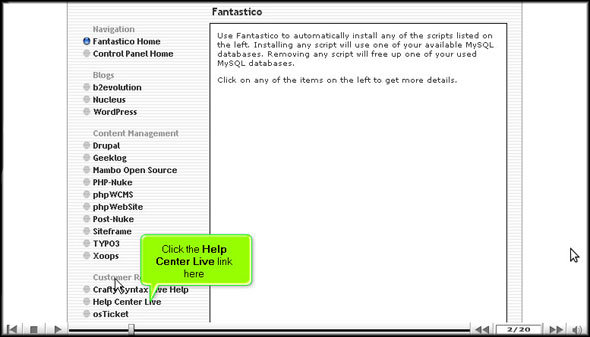
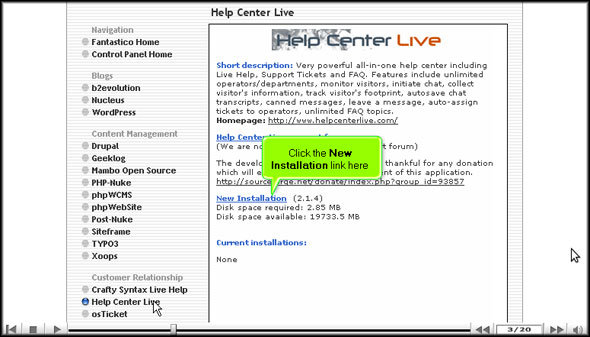
2. Once you click on the tab, you will be taken to an installation screen where you have to click on the link that says new installation.
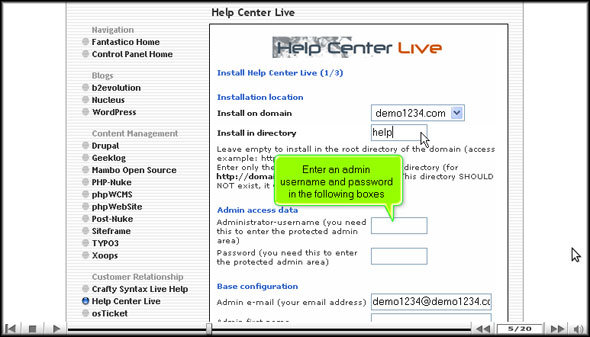
3. After that, you will need to type in the name of the directory in which you want to install the application

4. You must also type in the name of an admin and a password.
5. On the same page, right at the bottom, you will notice a link that says install Help Center live.

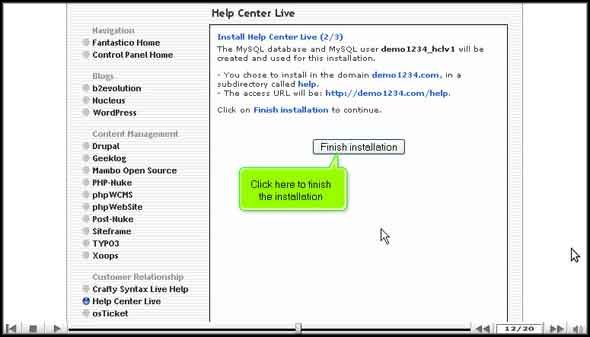
6. To complete the installation process, click on finish.
We have come to the end of the tutorial, and now you can go through the various features. The best part is that you can change specific settings on the application per your requirements. Still, before you get into that, you should spend a certain amount of time absorbing each feature or tool and its respective function. You should not rush During the learning process as there are tons of things you can learn. This particular tutorial will help you out, no doubt.
Initially, you may have some problems using the application, but you will get used to it in the long run. You simply need to have a certain level of patience to use this application. You merely need to focus on the application and its various features. Once you start using this application on your website, you will notice an immense improvement in its performance; your website will gradually begin to attract more traffic over time. By using this application, you are entitled to use the features of eCommerce and shopping carts.
Once you understand the various steps involved in installing the application, you will not face any problems. So, to install the application correctly, you must follow the steps mentioned in the exact order. This application is handy, and you will gain a lot by installing it.
Go to the top of the page. Back to the tutorial

 Ananova