The procedure to install OSTicket
Now, you may have been searching for a tutorial on how to install OSTicket on your computer. Well, you have certainly stumbled upon the proper tutorial; this particular application from Fantastico has plenty of features that could be used for you. Now, the service provider that gives you this application is called Fantastico. Fantastico is a web hosting service provider that has been around for a couple of years and provides handy applications for hosting purposes.
The good news is that all the applications provided by Fantastico are user-friendly and compatible with the cPanel you use. Fantastico also lets you use scripts from its script library to install applications without much trouble.
Since you are reading this tutorial that will teach you how to install OSTicket on your computer, it is assumed that you already know how to use Fantastico.
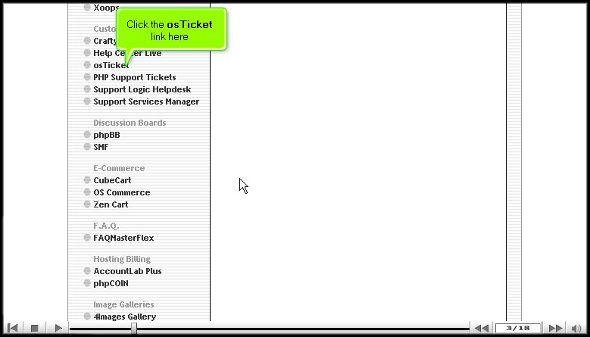
1. The first step would be to locate the OSTicket tab on the Fantastico interface. Once you find this tab, you have to click on it.
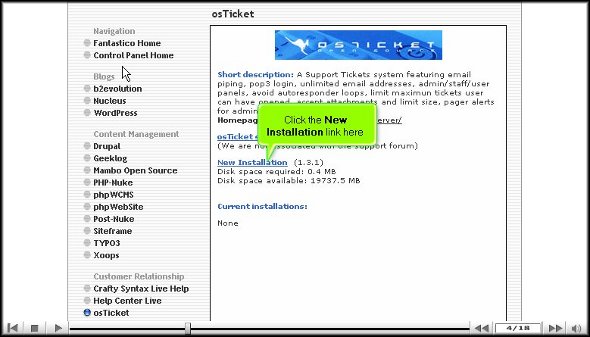
2. After you click on it, you will be directed to an installation screen, where you have to click on a link that says new installation.
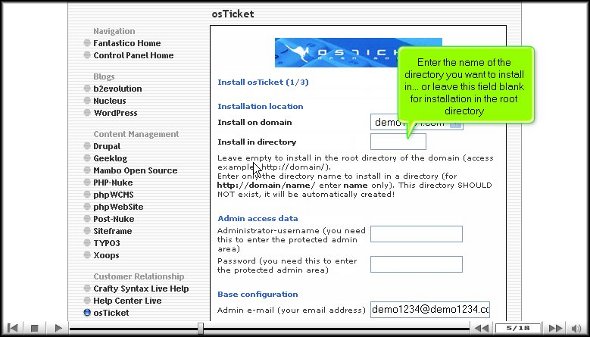
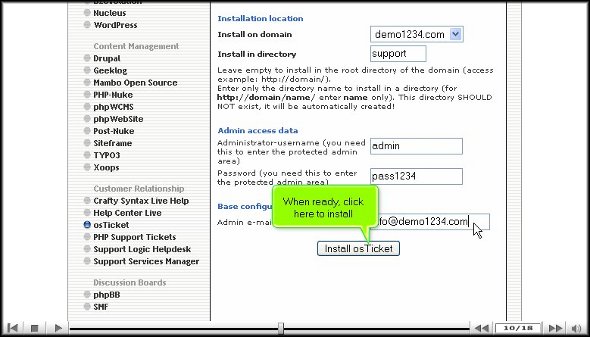
3. After clicking on a new installation, you will be taken to another page where you must mention a directory name in which the ticket will be installed.
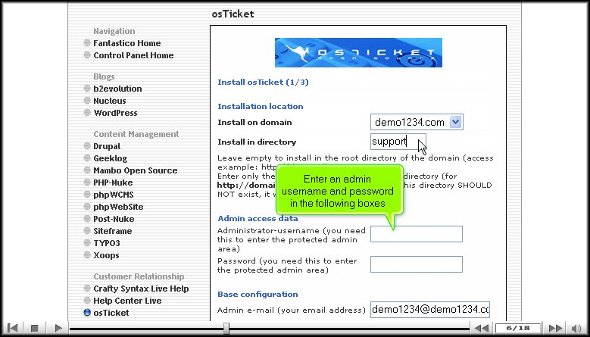
4. On this page, you must fill in the administrator’s name and enter a password.
5. Once you finish that, you must scroll down and click on install OSTicket.
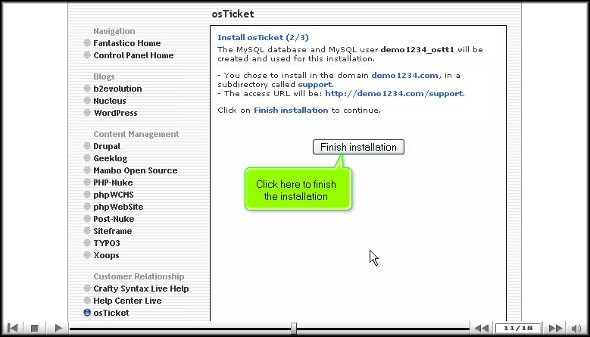
6. To complete the process, you have to press finish.
That is about it; you have successfully installed OSTicket on your computer. After installing the application on your computer, you should spend a bit of time getting familiar with the various features. You can learn plenty of things, so try not to rush the learning process, as you can miss out on essential aspects. There are separate tutorials that deal with the features of this application, and you can consult them if you want.
Once familiar with the features, start configuring them as you wish. Now, since you are a new user, you may take some time to get used to the various elements of the application. So do not get worked up if certain things do not work out how you want. Have some patience, and items will be okay eventually. Once you start using the application, you will notice that you have benefited quite a bit. The application has a very easy-to-use interface. So, to get the best out of the application, you must install it properly, and to do that, you must follow the tips mentioned in this tutorial properly. To learn more about the software, also consult other tutorials.
Go to the top of the page. Back to the tutorial

 Ananova
You must be logged in to post a comment.