100% WordPress compatible hosting providers


In today’s world, WordPress is a very famous blogging platform, and its website WordPress.com hosts around 60 million blogs as in 2013. Few companies offer special services like automated WordPress updates and one-click installation, some hosting features to WordPress users due to the popularity of the WordPress platform.

Top Ten WordPress Hosting Providers

There are so many WordPress hosting providers but among all of them, top Ten WordPress Hosting Providers are:

1. Bluehost

Bluehost is one of the oldest hosting services offers a free domain, unlimited e-mail, unlimited transfers and unlimited storage to the users. WordPress can be installed by the bloggers with a 1-click function via Bluehost’s Simple Scripts system. Their customer service is also good which is available twenty-four hours-a-day through various modes like phone, chat or email.

2. InMotion

WordPress and many other applications are automatically installed by the specialized Fantastico Scripts which this company offers. Inmotion provider gives promise to their customers that they will always provide fast and reliable service (99.9% uptime) for high-traffic, with good privacy and security and excellent customer service, active blogs, as well as the usual hosting features which are necessary to maintain a WordPress blog. Inmotion also makes the investment in green energy and provides low-carbon-footprint hosting.

3. Dreamhost

Dreamhost is another hosting service which offers unlimited hosted domains and allows 1-Click installation of WordPress and plugins.This hosting provider hosts more than 600,000 WordPress blogs and it also allows automated updates. The provider gives the guarantee of 100% uptime and it also allows its new users to have a two-week free trial. This company also specializes in shared hosting i.e. it can be consider as a cost-effective alternative for bloggers and small businesses and in optimized, WordPress-tailored service.

4. Web Hosting Hub

Web Hosting Hub provides their bloggers an easy-to-use control panel and free WordPress installation for the administration and moderation of their sites. Besides this it also offers unlimited bandwidth and disk space, 90-day money-back guarantee for new customers and an advanced SuPHP security features. Web Hosting Hub accounts contain thousands of free themes which comes along with them which users can explore when they develop their WordPress blogs.

5. Hostgator

Hostgator has nearly more than 8 million domains and thus it is considered as one of the biggest players in the web hosting industry. Hostgator provide dedicated server option, 1-Click installation of the newest version of WordPress with 100% WordPress compatibility. Their customer service is also good which is available twenty-four hours-a-day through various modes like phone, chat or email and for the site-administration; an easy control panel is available.

6. Site5

Site5 is ranked among the top 10 hosting providers and are WordPress experts. It offers hosting services with 100% compatibility and with this it also offers the latest versions of the blogging software. Bloggers have the great advantage because they have the great support of PHP, MySQL, Ruby, Python and others. It also provide some different features like an easy-to-use control panel which can be install ,24/7 technical support which can be expected by the new bloggers, and at last 45-day, money-back guarantee.

7. Greengeeks

By regular purchase of wind-power, Greengeeks provides an excellent suite of hosting features and an eco-friendly hosting. For easy, automated administration of sites and blogs this provider offers an unlimited hosting package that includes a free domain and the cPanel control panel.

8. FatCow

FatCow also provide eco-friendly options for bloggers who are concerned about the carbon footprint of power-hungry hosting servers. WordPress blogging software can be installed in few seconds as it is completely integrated into FatCow’s hosting. It also easily allow whole-site WordPress blog, provides a big selection of templates for website development and few compatible hosting features like the latest versions of MySQL and PHP.

9. WPWebHost

WPWebHosts mainly focused on hosting WordPress-powered blogs. It is founded by a group of WordPress users and this provider provides excellent hosting as well as top-notch WordPress-specific services. It also help their customers to customize their blogs and deal with technical problems by providing them the automatic, tailored 1-Click system which is able to handle installation, plugins, themes and other blog-platform issues, and knowledgeable WordPress experts .

10. Wiredtree

WiredTree is considering as one of the best web hosting provider because it promises its customers that they will deliver them ultra-fast and stable services for high-traffic websites and as per their demands. On the changes of the needs of the customer this provider hosting plans also get change from basic to more advance. It provides the features like Fantastico scripts and cPanel by which common WordPress installation and administration tasks can be automated. WiredTree offers both speed and security for the advanced blogger and they are also expert in Virtual Private and managed dedicated servers.

What is WordPress and what are the benefits


About the WordPress

WordPress is the very popular software which is used to manage the content and growing very fast all over the world. It is related with blogs and thus it allows its users to gain blog experience, as this is the main function of the WordPress. “Wordpress” is a good option if we are looking for a free website provider for our new website. Basically it is used as a blogging tool but its developers all over the world increases its functions, created very typical and complicated websites and make it grew as a system used to manage the content. WordPress is easy to use because it has a very friendly interface. It contains various numbers of plugins for different purposes which allow its functions to be extended in different ways. . If you’re hosting plan which offers the required disk space and bandwidth capacity then it can host a network of blogs and with one admin account all the blogs can be administrated. Thus, we can say it is the best option to run number of web sites on the same hosting account.

About WordPress hosting

If we understand in a single line then it means- Personalize your own blog.

There are thousands of web hosts available but it is very difficult to choose the one which meets the WordPress minimum requirements because it needs the right environment,Wordpress give its best when it is in a correct and rich hosting environment. WordPress hosting is very flexible so we can modify or extend it as per our requirement to fulfill any purpose. It is also very popular and gained popularity from various social media sites like Twitter, Facebook, LinkedIn and YouTube. Whenever there is any new video or new content then it appears automatically or are posted on social networks automatically by customizing RSS feed.

Benefits of using WordPress hosting

WordPress hosting edits the functions and display of thousands of themes & CSS files.

WordPress hosting allows you to have total control over your own website and it also makes available thousands of plugins which extend the functionality of your site and as per your need you can install any no. of plugins .There are certain ways by which you can change the code on plugins to modify them.

  • It also provides you the option to add advertising.
  • It also has the ability to backup files using FTP (file transfer protocol)
  • It also allows you to have a unique domain name.

WordPress hosting allows optimization of the search Engine as it is search Engine friendly and allows every single page to be indexed.

Larger storage space.

WordPress hosting allows you to set the terms and conditions on your own and calls the shots otherwise various blog service providers force their hosting, content and advertising policies.

It also allows you to have complete control over your code, because then you can implement any theme, change it as per your specifications, or create your own.

W3C is the international standard for website codes and the codes which are created by the WordPress is entirely W3C compliant. W3C indicate a correct website code which removes problems, bugs and bad referencing in search engines.

If you want to choose another layout, then it is also possible without doing anything manually because it allows your content to be immediately integrated in the new layout.

WordPress also contain an in-built comment feature, which allows your users to give their opinion and views about your published items and these features are completely Web 2.0 compliant, which makes users participants feel that they are more than just simple visitors.

It also enable built-in spam filters which carefully filter all the spam messages as users add comments, and for them there are few automatic spambots that try to place ads as a reaction.

Another benefit of using WordPress hosting is that you can protect each post on your site with a password. Thus if you want to publish your articles for a restricted audience, for e.g. for an internal weblog for your company or association, then it is possible with WordPress.

Each WordPress hosting contain not less than 10 user levels and thus it allows multiple users to access and accordingly you can perfectly assign rights to each user.

WordPress contains built-in Ping-O-Matic service, by which each post is immediately submitted to search engines.

Best wordpress web hosting


best wordpress web hosting

There are so many WordPress web hosting providers are available and you will see here the best WordPress web hosting providers.

Blue host : Blue Host has two primary hosting plans low cost shared hosting and other is reseller hosting. They provide very good customer support .Its basic plans offer Multimedia features, World class technology, free website scripts, site promotion, CGI Databases, unlimited bandwidth, unlimited disk space, Web file manager, FTP access, Log files, Site statistics, unlimited file transfer, Custom cronjobs, unlimited email, a free domain registration, unlimited hosted domains, SSH access, domain parking, e-commerce features, one-click WordPress installs and more. Its price is $3.95/mo.

Hostgator : Hostgator is very popular for their well-priced shared hosting plans. They offer three shared hosting services – Hatchling, Baby and Business. In addition, reseller plans, VPS hosting and dedicated servers, an affiliate programme are also offered by them. Its plan specifications include unlimited bandwidth, unlimited disk space, unlimited email, 1-click installs, $100 Google Adwords credit, install site templates, uptime guarantee, all for $3.96/mo.

Inmotion Hosting : It offers variety of services, from three different shared hosting plans to VPS to dedicated hosting. Their well-trained staff provides first-class service from f without reducing customer support or server space. Its price is $4.00/mo. Its key features are 90 day money-Back guarantee,Joomla,WordPress,PHP,MySQL,Phone Support, Free Domain(s),POP3 Support,Windows,Linux etc.

iPage : It is a web hosting provider which offers very good shared hosting plans. They are having support centre which contain knowledge base tutorials and articles which customers and non-customers both can access. This host provides contain plan specifications like Phone Support, Shared Hosting, Spam Filter, Web Mail, Email Support, Gallery, Money-Back Guarantee, MySQL etc. Their hosting plan includes unlimited disk space and unlimited bandwidth.

Godaddy.com : Go Daddy’s main business is not web hosting but their main business is domain names and domain auctions, domain registrations, and thus the home page of their website is dedicated to the registration of domains. But still they claim that they are the “largest hosting provider of secure websites” having database of around 10 million customers hosting 5 million websites between them. .This host provide various features like Control panel, Shared Hosting, Web Mail, Email forwarding, file manager, PHP, PHP5, MySQL, Crontabs etc. Their hosting plan includes unlimited disk space and unlimited bandwidth.

Justhost : This is a web hosting company which mainly focus on shared hosting plans and reseller hosting. They claim that they are an eco-friendly hosting company and also work on Go

Green programme : This host offers Auto responsers, CGI Access, My SQL, PHP, PHP5, Perl support, Web mail, shared hosting etc. Arvixe – Arvixe is a web hosting company which provides variety of services from shared hosting to dedicate hosting. It will provide reliable and high quality services and support and deliver complete hosting resource to their clients. Its plan specifications include free Domain, Unlimited bandwidth, Host Unlimited Domains, Unlimited Disk space, POP3, Shared hosting, auto responders etc.

Certified hosting : This provider offers unlimited web hosting which provide Unlimited disk Space, $100 Google Ad Words Credit, Unlimited data Transfer, FREE Site Builder, Unlimited Domain Hosting, FREE Domain, Unlimited E-Mail Accounts, FREE FFMPEG Tube Site Ready, Anytime Money Back Guarantee, FREE Easy To Use cPanel etc.It costs $3.95/mo.

Host metro : This offers mega max hosting and business max hosting which offers maximum hosting Space, Bandwidth, Cloud Technology, full Money Back Guarantee, 24/7/365 U.S. Based Support, 99.9% Uptime Guarantee, Unlimited FTP Accounts, Unlimited MySQL Databases, Weekly Backups, unlimited hosting domains, free domain name, unlimited sub domains, unlimited e-mail accounts, auto responders, mailing list, web based e-mail, free shared SSL, Google checkout and PayPal supported etc.

Midphase : It offers personal web hosting and business web hosting which offers Unlimited bandwidth and Unlimited Diskspace.It provide you 99.9% uptime guarantee, free setup and free domain, free static IP, free SSL Certificate, toll free 24/7 support, instant account activation, also provide unlimited e-mail accounts, e-mail forwarders, auto responders, webalizer, analog log file analysis, PayPal support, merchant account support, Self signed SSL etc.

WordPress hosting plans are created equal or not


Not all WordPress hosting plans are created equal

WordPress was using by an ever-increasing client base with over 250,000 unique visitors every month with bandwidth capacity of 300GB.You need to go from one host to another host to choose the best hosting plan, as there are different types of Hosting are available. Different “Wordpress” providers offer different price ranges and technical specs.

There are 4 basic types of hosting accounts available from which we can choose one:

Shared Hosting : Shared hosting is a common hosting solution and it is very cheap. It allows you to share a single server’s resources with a few hundred other small sites. If you consider price as the most important factor, then it is the right way to go.

VPS (Virtual Private Server) : A VPS allows you to have more control over your site for development, and also handle higher traffic but here you’re sharing the server with few other sites only.

Dedicated Hosting : If you want absolute control over all the technical aspects of hosting your sites, and then it is the right way to go.

Managed Hosting : This means that a company takes care of all the technical details of the hosting and be ensure that your WordPress site is served in a very fast way, not more than seconds and its speed balance with high traffic loads.

As there are different types of hosting are available, then regardless of their type, you need to consider 6 major factors when considering a host:

  • Momentum
  • Safety
  • Scalability
  • Help
  • Apparatus
  • Cost

There are so many web hosting companies which offer their respective plans, as per the need of the customers or users. It is understood that all the WordPress hosting companies plans are not created equal and this we can see here. Hostgator is very popular for their well-priced shared hosting plans. They offer three shared hosting services – Hatchling, Baby and Business. In addition, reseller plans, VPS hosting and dedicated servers, an affiliate programme are also offered by them. Its plan specifications include unlimited bandwidth, unlimited disk space, unlimited email, 1-click installs, $100 Google Ad words credit; install site templates, uptime guarantee, all for $3.96/mo. Blue host has two primary hosting plans low cost shared hosting and other is reseller hosting. They provide very good customer support .Its basic plans offer Multimedia features, World class technology, free website scripts, site promotion, CGI Databases, unlimited bandwidth, unlimited disk space, Web file manager, FTP access, Log files, Site statistics, unlimited file transfer, Custom cronjobs, unlimited email, a free domain registration, unlimited hosted domains, SSH access, domain parking, e-commerce features, one-click WordPress installs and more. Its price is $3.95/mo.

IPage : It is a web hosting provider which offers very good shared hosting plans. This host provides contain plan specifications like Phone Support, Shared Hosting, Spam Filter, Web Mail, Email Support, Gallery, Money-Back Guarantee, MySQL etc. Their hosting plan includes unlimited disk space and unlimited bandwidth.

Certified hosting : This provider offers unlimited web hosting which provide Unlimited disk Space, $100 Google Ad Words Credit, Unlimited data Transfer, FREE Site Builder, Unlimited Domain Hosting, FREE Domain, Unlimited E-Mail Accounts, FREE FFMPEG Tube Site Ready, Anytime Money Back Guarantee, FREE Easy To Use cPanel etc.It costs $3.95/mo.

Inmotion hosting : It offers variety of services, from three different shared hosting plans to VPS to dedicated hosting. Its price is $4.00/mo. Its key features are 90 day money-Back guarantee, Joomla, WordPress, PHP, MySQL, Phone Support, Free Domain(s), POP3 Support, Windows, Linux etc.

Midphase : It offers personal web hosting and business web hosting which offers Unlimited bandwidth and Unlimited Diskspace.It provide you 99.9% uptime guarantee, free setup and free domain, free static IP, free SSL Certificate, toll free 24/7 support, instant account activation, also provide unlimited e-mail accounts, e-mail forwarders, auto responders, webalizer, analog log file analysis, PayPal support, merchant account support, Self signed SSL etc.

HostMetro : This offers mega max hosting and business max hosting which offers maximum hosting Space, Bandwidth, Cloud Technology, full Money Back Guarantee, 24/7/365 U.S. Based Support, 99.9% Uptime Guarantee, Unlimited FTP Accounts, Unlimited MySQL Databases, Weekly Backups, unlimited hosting domains, free domain name, unlimited sub domains, unlimited e-mail accounts, auto responders, mailing list, web based e-mail, free shared SSL, Google checkout and PayPal supported etc.

These are the few examples of the companies or providers which offer their respective plans, as per the need of the customers or users and by the above examples it is understood that all the WordPress hosting companies plans are not created equal.

Web hosting wordpress Linux


If you want to start a business then, first of all, you need a good website, and for that, you require a good hosting plan. Linux server hosting and Windows hosting are the two most common options but “Which is the better option?” Is Linux hosting is better?

About Linux hosting

Linux is an open-source system or open-source software. It means that anyone can edit or utilize it to create other operating systems and due to this the base code is open to the public. Linux founded by the Ubuntu, Fedora, and openSUSE. It is software which is like a Unix-Operating System based on the Linux-kernel that was developed by Linus Torvalds in 1991. Linux is to be considering as a very efficient and effective operating system which possess many of the same Graphical User Interface (GUI) components and utilities which are found in Microsoft Windows and in the proprietary elements which most of them find useful because of the contributions of thousands of expert coders. It is very cheap to operate i.e. it may cost you less than Windows. It is known for scalability, stability, and speed. Thus it is going to crash less than a Windows server. It also supports different types of applications, software and programming languages including Perl, MySQL, and PostgreSQL.But Linux hosting cannot be used with some Microsoft technologies like Access, ASP or MS SQL, for these technologies you need Windows hosting server.

Linux hosting is best and secure for WordPress

The type of web hosting you use depends so much on the kind of software, which you will be running on your website. If we talk about particularly for WordPress users, then for them Linux is considered a better option than other hosting systems. It mainly happens due to WordPress is designed in such manner that it can run on Linux servers which typically possess PHP and MySQL installed. If you compare Windows server with Linux server to run WordPress on them, then WordPress can also run on Windows server with some adjustments required to be made to get the software to run as efficiently as it does on a Linux server. Linux is also considering as a good operating system for CGI and Perl scripts. Regarding security, there are some policies and practices of the hosting provider, and good WordPress hosting companies always keep them ready, and they already have prior arrangements by which they can secure their servers and protect their customers. So, is the case of Linux hosting.

And it is recommended, If you plan on using WordPress and not any other program, then Linux hosting plan to be considered as best served to host. And If you plan on using other programs, then you need to find the type of support and service offered by each operating system for those programs and then select the one which best fulfills your requirement.

Many people believe Linux Web Hosting as the best hosting solution because of its several benefits like; it provides reliability, reasonability, security, efficiency, and much more. Linux hosting uses open source software. It provides you more than one option i.e. multiple options to fulfill the requirements of hosting. PHP is considered to be one of the most popular languages for programming, and the good thing is this that it is compatible with Linux web hosting. People who are learning programming i.e. practicing programmers may also test new things with the help of Linux hosting. Thus it proves to be beneficial for programmers also. And at last the biggest advantage of using Linux hosting as we have read earlier also is that it is very cheap and affordable. Proprietary software’s are not installed and due to this over head expenses are reduced in Linux hosting. If you choose Linux, you do NOT need to run Linux on your PC to host your site on the Linux platform. Which OS you run on your computer does not matter; even if you are running Windows XP, you can still use Linux to run your website.

Thus from the above, it is clear that Linux hosting is best and secure for WordPress.

Quick security tips for a WordPress Site – CPWebHosting


WordPress Site Quick security tips – CPWebHosting

1. Stay Updated : The most important tip for securing the self hosted WordPress websites is also the most obvious; WordPress provides updates with security fixes all of the time. When you get the notification in admin panel, don’t ignore it! It’s the single most effective way to secure your site from attacks, and yet so many people leave their site (and their client sites) un-updated for fear of breaking their themes and/or plug-ins.

2. Create Custom Secret Keys for Your wp-config.php File : All of the confidential details for your WordPress site are stored in the wp-config.php in your WordPress root directory. Secret keys are one of the bits of information stored in that file

3. Change the Database Prefix : A lot of the basic setup stuff for WordPress is the same across lots of sites… especially if you use a one-step install wizard through your webhost. This is super convenient, but lots of common setup values like, your database prefix (es), are known to hackers as a result.

4. Protect your wp-config.php File : As mentioned earlier, the wp-config.php file contains all the confidential details of your site. So it’s pretty important that you protect it at all costs. An easy way to protect this file is to simply place the following code in your .htaccess file on your server.

5. Protect your .htaccess File : We can protect our wp-config.php file as mentioned above, but what about protecting the .htaccess file itself? Don’t worry; we can use the same .htaccess file to protect it from being preyed upon.

6. Hide Your WordPress Version : Another good idea is to remove the generator Meta for the WordPress. This Meta shows the version of your WordPress site. If you have enabled the WordPress version, then hackers will know the security lacking of your website.

7. Install WordPress Security Scan Plug-in : This is a good Plug-in which scans your WordPress installation and give the suggestion accordingly. This Plug-in will check for below things:

  • Passwords
  • File Permissions
  • Database Security
  • WordPress Admin protection

8. Limit the Number of Failed Login Attempts : This nice Plug-in can limit the number failed login attempts; Useful in case of someone is trying to guess your password manually or using a robot.

9. Ask Apache Password Protect : Here is one better Plug-in provided by the Ask Apache. You can protect your site with 401 authorizations in easy steps. All these you can manage from the WordPress admin panel.

10. Don’t Use “admin” As Your Username (and Pick Strong Passwords) : This one’s perhaps the easiest of them all – WordPress normally will setup your main admin account name as “admin”, so it’s usually the first username that hackers will try using. As of version 3.0 you can change this during the initial set-up, but it’s easy to forget that you can go back and change it even if you setup your site before version 3.0. So, pick a new name other than admin.

CPWebHosting announced security tips to configure wp-config file


Security Tips to Configure wp-config in WordPress Hosting

wp-config

The wp-config.php file is the most important file to protect on your site. It contains your username, password, and database name (among other things) for your WordPress install and by default, is accessible from any web browser.

The wp-config.php file is a standard part of your WordPress installation. It defines the configuration settings required to access your MySQL database. If you’re self-hosting WordPress, there’s no way of getting around not using it.

It’s your job to protect it ! You certainly don’t want this file falling into the wrong hands in the event of a server problem. You can protect it by encrypting its content when you upload and denying access to it.

There are two main ways to easily protect the wp-config.php file from prying eyes and hackers. Both methods require you to have sftp or server-level access. Also turn off any caching plug-ins you may be using before attempting these steps.

Move wp-config.php up one directory : This is the easiest way assuming you’re comfortable moving files on your server. Essentially this works by taking wp-config.php and moving it outside of the public realm (typically one level above /public_html).

Modify your .htaccess or .conf file : This option is a little more advanced and requires that you’re running Apache or Nginx. You’ll need to edit your .htaccess file (Apache) or nginx.conf (Nginx) using a text editor. Be careful not to alter any other code in this file otherwise your site may break.

Copy and paste the following code into your .htaccess file to deny access to your wp-config.php file.

# protect wpconfig.php
order allow,deny
deny from all

When saving your changes using “Notepad,” make sure that you change the “Save as type” dropdown to “All Files” so that it does not change your .htaccess file into a .txt file.

How to Secure WordPress website

WordPress is a content management system which helps to create attractive websites or blog. It is important to secure WordPress website from attackers and annoying users who want to hack your admin area.

To increase you security areas there are some actions through which you can protect your WordPress.

1. Use a good Password : To secure your password, you should use combinations of upper case and lower case letters,numbers and special characteristics in a password. Name and company names are bad password because it is very easy to hack these passwords.

2. Never use admin as a User Name : User name in wordpress can be identified easily. Use ‘Admin’ as a user name may disclose your privacy. Use another user name which cannot be guessed or hacked by attacker.

3. Update website Plug-ins and CMS : Keep Plug-in and CMS up to date will avoid security issues of previous versions. update CMS and add new feature will keep your WordPress site bug free. To enhance WordPress you need to add, delete and replace files manually or automatically.

4. Using a Security Plug-in : Good WordPress Plug-in like All in One WP Security and Firewall, Sucuri-Sanncer or Bullet-Proof Security enables to block invalid login attempts from back-end of website. These plug-ins allow to rename website back-end login URL as different name.

5. Secure hosting infrastructure must be provided by hosting providers : security of your WordPress website should be taken care by you as well as your WordPress hosting provider . So make sure how webhosting provider can secure your WordPress website installation.

6. Backup Website : If new content added frequently then backup should be done once in a week. If no new content added then once a month is required. Website hosting control panel is much better alternate then plugins. Hosting provider will give more details regarding backup. You are free to ask hosting provider for help.

7. Monitor your website : Services like Pingdom provides check on your website and receive email or alerts when website goes off.

8. Avoid free website themes and plug-ins : Free themes and plug-ins can allow attackers to break website privacy. Generally Paid themes takes time to design and more secure as they develop in an account.

9. Don’t allow commenting : Through comment boxes attacker might access website back end. It can cause a big risk regarding security. To avoid commenting in the WordPress settings and on individual pages under discussion settings.

10. Disable user registrations : Enabling user registration can lead to hacking. So user registration should be disabled on website.

Contributors:

Hema Sharma

Cheap WordPress Hosting


About WordPress Hosting
Minimum Requirements for WordPress Web Hosting
Problems faced by wordpress hosting

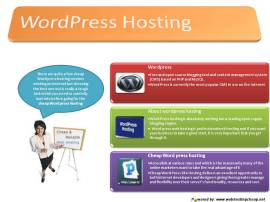
Word Press is a free and open source blogging tool and content management system (CMS) based on PHP and MySQL. It has many features including a plug-in architecture and a template system. Word Press is currently the most popular CMS in use on the Internet. Word Press users may install and switch between themes. Themes allow users to change the look and functionality of a Word Press website or installation without altering the informational content.

One very popular feature of Word Press is its rich plug-in architecture which allows users and developers to extend its abilities beyond the features that are part of the base install.

For beginners to Word Press and web hosting,  wordpress hosting theme helps build a site from scratch. For beginners, they maintain well documented video tutorials and guides to manage a website from the domain registration level up to handling some advanced tasks in Word Press.

The peer support forum is a good place to find support from other customers and share views on Word Press hosting.Word Press hosting is absolutely nothing but a leading open supply blogging engine. It could be downloaded and installed in your domain and you’ll be able to use it for blogging. You would discover that the majority of the companies and even people these days are employing Word Press for the purpose of blogging. This really is for the reason that you would obtain you will discover different functions in present catering to numerous wants from the bloggers.

There are quite a few cheap Word press hosting services existing on Internet but choosing the best one out is really a tough task which you need to carefully look into before going for the cheap Word press hosting. Word press web hosting is professional web hosting and if you want your business to take a good start, it is very important that you get through it. Cheap Word press hosting is accessible at various rates and which is the reason why many of the online marketers want to take the real advantage of it. Word press blogging websites have turn out to be easy way of increase the visibility of business and all the more reasonably priced for the small business owners to let their online business prospects grow through leaps and bounds.

Today many cheap Word press hosting companies are providing reliable hosting options in the market, but it is your responsibility to search for best Word press hosting plans which will prove turn successful for your business escapade

Cheap Word Press Site Hosting delivers an excellent opportunity to both internet developers and designers giving them greater manage and flexibility over their server’s functionality, resources and cost. Word Press Hosting options have all of the power and control of a conventional devoted server with an unmatched combination of instant flexibility.

Minimum requirements needed for Word press hosting:

  • PHP version 4.3 or greater (version 5.2 is recommended)
  • MySQL version 4.1.2 or greater ( version 5.2 is recommended)
  • A Linux based platform with either Apache or NGINX
  • Mod_rewrite Apache module.

Problems face by wordpress hosting are:

– The navigational structure is determined by the layout template you chose.

– Changing that structure again requires knowledge of the WP scripting language and CSS.

– WordPress.com also does not allow the upload of any plug-ins, which can seriously cause a problem when it comes to making your blog look different from all the rest.

– You are also not allowed to use any coding, such as PHP, within your blog. Your blog cannot look very different from all the rest that are out there while on the free service, no matter how much you want it.

Go To Top

Fundamentally, a hosting service that will host a WordPress site is called WordPress hosting. WordPress hosting is the leading open-source engine which is used for blogging by all the blogs. It is easy, user friendly and can be downloaded and installed at our domain without any difficulties. It places the option of creating one’s own personal blog without any charges in front of user.By Hosting WordPress a user can develop blogs, social-networking sites, portals, various types of informational sites etc. WordPress Web hosting is one of the best (content management systems-CMS). Anybody may set-up this kind of hosting to activate the website in an easy way. WordPress Web hosting users can host their own websites and blogs in any language world-wide. Hosting WordPress encounters negligible cost content management system. Hosting for WordPress is the ideal way to make web design easy and quick. Brands like HTC, FourSquare, SoundCloud, Balsamiq, and many others use WPEngine for their Hosting for WordPress. A WordPress Hosting Theme is a set of files that provide the look and feel of our wordpress-powered website. It depicts the information about the general blueprint of the site, and other content such as graphics, header logos and footers. The advanced WordPress Hosting Theme sites are created by companies like Youjoomla.com so as to extend both the look and functionality of the WordPress platform.

When we come across the word Cheap WordPress Hosting,what does this mean? This means to have the services of WordPress Hosting at a minimal price that meet our budget and requirements.When we are in need of Cheap WordPress Hosting then it is not a critical and tough job as the services are available and affordable.This is due to the reason of increasing the need of these services for the common mass so as to patch up with the uprising demand the chances of price rise is uncommon. The integrated data services like cloud computing is also kneeling down the prices. Maximum amount of data can be stored by WordPress hosting sites afford-ably. As the operational costs are near to the ground, so for attracting the large number of clients providers has extended the price cuts. The parameter of WordPress Hosting regarding its cheapness can be measured by the amount of bandwidth. The more bandwidth is utilized, the more the payment of the services. For getting cheap wordpress hosting the perfect trick is to consume less bandwidth per month.

Cheap WordPress Hosting is not suitable for graphic-filled site. A cheaper plan is ultimate for blogging, articles and other posts. The most common condition situation of Cheap WordPress Hosting is that provider will ask us about the site’s activity.

WordPress is one of those platforms, where we can start at minimal cost. WordPress software is free can be downloaded free from WordPress.org page. Though, there are some requirements like a domain name, a hosting space for which we have to pay. After that it depends upon our requirement, how much we wish to spend on customization, SEO and other factors.

If we want to start a blog on WordPress, we can start with minimal cost of $60 for an unlimited hosting and domain with Bluehost and Dreamhost.

Domain: Cost: $10

For starting our blog the first thing which we have to purchase is domain name. Having a domain name is like a giving an address to the new website. One should prefer domains in order of .com, .org or .net. Domain typically cost this much from different domain providers: (.Com domains price)

Godaddy: $11.98 >> ShoutMyDomain: $9.99 >> NameCheap: $9.98

Webhosting Cost: 56-100$ :

This is one major investment that we will be doing in the process of starting our own WordPress blog. Although our aim is to get Cheap WordPress Hosting but that doesn’t mean that its quality should be compromised. Some of the recommended WordPress hosting along with price for 1 year are:

Hostgator: $56 with coupon code Shoutmeloud25

Dreamhost: : $69 with coupon code SML50 >> Bluehost: $83.5 (Bluehost coupon code)

Setting up cost: (Free [DIY] or $99) :

At some conditions it is free and at some condition it charges $99.

WordPress Theme cost: (Free to $86) :

The hardest task is to get the theme of user’s choice and which is good in terms of speed, price and functionality. There are many free WordPress themes, but they miss out some of the important aspect of premium WordPress theme. If there is the requirement of low cost solution then Elegant themes or Theme-junkie are most preferable.

WordPress SEO: $0-$1000 :

Many WordPress services offer free SEO optimization while we set up blog for them. Though price depends on our budget.

WordPress Premium plugins: ( $47-$200) :

One of the major benefits of WordPress is a great list of free plugins that we can find at WordPress plugin repo. But, there are many plugins which are available at some cost.

Best Cheap WordPress Hosting :

The Best WordPress Hosting encounters affordable features of the blog as per our requirement. The best cheap wordpress hostings along with their price are:

BlueHost: $3.95/mo >> Webhosting Hub: $3.95/mo >> HostMonster: $3.95/mo >> InMotion Hosting: $5.95/mo >> Arvixe: $4.0/mo

Thus, Cheap WordPress Hosting is not the convenient but it is the smartest application of our online world.